The Celrow guide
Less guessing.
More getting it done.
One useful spreadsheet at a time. Short guides for the details that matter.
Start here / Your first run
From one document
to your spreadsheet.
Choose a preset. Check a sample. Take a file you can actually use.
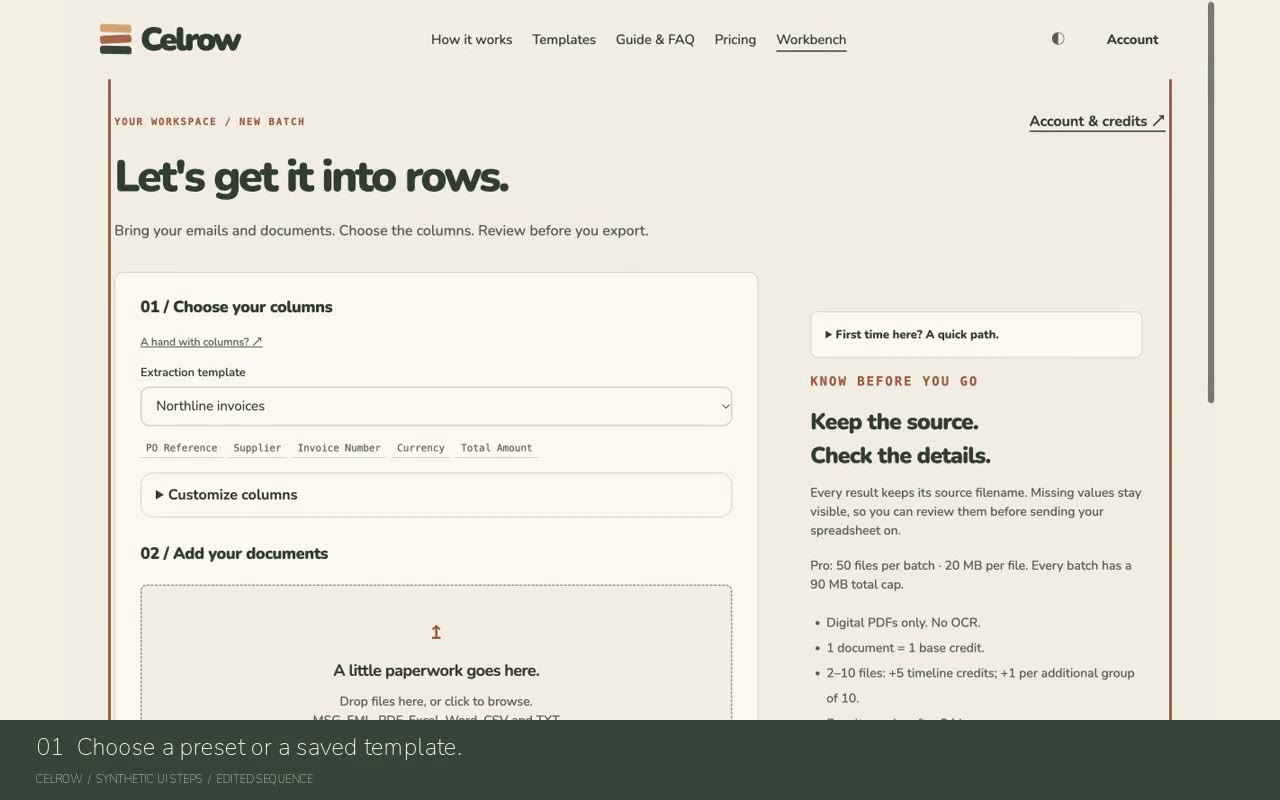 ▶ A real-interface walkthrough
Learn by doing
What are you working on?
Your first useful spreadsheet
Start with one English order or invoice. Keep its original open so you can check the result before exporting.
Make the columns yours
Change what comes out without building a workflow or writing code.
Try one before the batch
A preview is a real processing run on the first selected file. It uses the current options and the credits shown on its button.
Check, correct and export
Make the final spreadsheet yours while keeping the first extracted value available for comparison.
Compare a purchase order and invoice
Use Industrial order review to compare extracted values for one purchase order and one invoice with the same reference.
Files, limits and getting unstuck
Understand whether the problem is the document, its extraction result or a request that has not finished.
Credits, privacy and your account
Know what a run costs, what is kept and where to manage an existing subscription.
From a batch to a routine
Start in the browser. Use the existing forwarding or API path only when it fits recurring work.
No matching guide. Try a shorter phrase or check the FAQ below.
Small questions. Clear answers.
Frequently asked.
Do I need to create a mailbox first?Start
No. You can start with a browser upload and a preset. Forwarding is optional and uses the existing plan entitlement.
Read the guide ↗#Can I use Celrow for one invoice?Start
Yes. Choose Invoice / Bill and upload the invoice. Industrial order review is for comparing a purchase order and invoice.
Read the guide ↗#Can Celrow read scans or photos?Files
Scanned PDFs are not supported, and image uploads are not a supported input format. Use a digital document with readable text or perform OCR elsewhere first.
Read the guide ↗#Does Deep extract read attachment text?Files
It reads supported attachment text, within processing limits, and adds its stated cost. Inspect attachment warnings for material that was not read.
Read the guide ↗#What does Strip only do?Files
It extracts attachments for ZIP download without AI field extraction or a timeline. It is not a free reparse; use the estimate shown before submitting.
Read the guide ↗#Can I use my existing Excel headers?Customize
Yes. In Account → Custom template, upload a CSV or XLSX header file. Then select that saved template in Workbench and refine its columns.
Read the guide ↗#How do I preserve leading zeros?Customize
Use Text for the identifier and add an instruction such as Preserve leading zeros. Review the extracted identifier against the source before export.
Read the guide ↗#Can I change the column order?Customize
Yes. Open Customize columns and use the up and down controls. The chosen order is used in the result and export.
Read the guide ↗#What is the difference between Save changes and Save as copy?Customize
Save changes updates the selected custom template. Save as copy creates an independent template and uses a slot. Neither changes an already submitted batch.
Read the guide ↗#Will Celrow guess a date or convert currency?Customize
No. Ambiguous values stay visible for review, and currency is not converted. Correct an ambiguous date to an unambiguous source-checked value before applying its display format.
Read the guide ↗#Is the first-file preview free?Preview
No. It runs the first selected file using the current options and the shown credits. Opening, correcting and exporting the same completed result do not add another processing charge.
Read the guide ↗#Will a full batch reuse the previewed file?Preview
A single selected file can open the same preview result. A later multi-file batch processes all selected files again under its own estimate, including the previewed file.
Read the guide ↗#Why did the preview reset?Preview
Changing files, processing options or column definitions invalidates it. The next preview or parse is new processing and uses the credits shown.
Read the guide ↗#Can I edit values before exporting?Review
Yes. Choose Edit values, correct ordinary fields or existing line-item cells, and Save corrections. Unsaved edits must be saved or discarded before downloading.
Read the guide ↗#Will I lose the original extracted value?Review
The first extracted value remains visible when editing a corrected field while the result is available. This is not an unlimited edit-history archive.
Read the guide ↗#Do corrections cost credits?Review
No. Saving corrections and exporting the corrected result do not call AI or deduct credits, and do not extend result expiry.
Read the guide ↗#Does High field completeness mean the values are accurate?Review
No. Completeness is a missing-field heuristic, not an accuracy score or probability. Filled values can still be wrong.
Read the guide ↗#Why does the timeline say it predates my corrections?Review
The timeline was generated before your edits and has not been recalculated. Saved corrections update the result and deterministic order checks, not that AI-generated timeline.
Read the guide ↗#Why did Celrow reject a save from another tab?Review
Another page may have saved a newer version. Your draft is kept to avoid silently overwriting it. Use Discard edits & reload after reviewing your draft to load the latest saved values.
Read the guide ↗#Can a matching order check approve an invoice for payment?Orders
No. Checks compare extracted values, not authenticity, accounting treatment or payment authority. A person must review the source and business context.
Read the guide ↗#Can Celrow match partial invoices or different currencies?Orders
Those cases require manual review. The automatic comparison expects one PO and one invoice with the same reference and explicit matching currency; it does not invent allocations or convert currency.
Read the guide ↗#My upload response disappeared. Should I start again?Recovery
Check Account → Recent batches first. Use the existing result if present. Keep files, options and columns unchanged when retrying an uncertain request; do not create repeated new batches.
Read the guide ↗#Why can I no longer download my attachment ZIP?Recovery
The ZIP is single-use and expires after 10 minutes. Check whether it already downloaded. To generate a new ZIP, resubmit the original emails with Strip only and review its cost.
Read the guide ↗#How long are results and original uploads kept?Privacy
Original uploads are processed in memory. Results expire after 24 hours. Account, filename, billing and service metadata have separate retention policies; keep your own source documents.
Read the guide ↗#Do subscription credits and pack credits behave the same?Credits
No. Subscription credits reset with the monthly cycle; purchased pack credits do not expire. Trial credits are issued once, subject to availability, and expire after 30 days.
Read the guide ↗#Can I forward mail or use the API with a credit pack?Automation
A pack enables manual processing but does not add forwarding or API entitlement. Forward-to-parse requires Starter or Pro; API access requires Pro.
Read the guide ↗#No matching answer. Clear the filter or contact support with the error message and batch reference. Please do not send confidential documents.